I am text block. Click edit button to change this text. Lorem ipsum dolor sit amet, consectetur adipiscing elit. Ut elit tellus, luctus nec ullamcorper mattis, pulvinar dapibus leo.
OkayPay WooCommerce Plugin Instructions
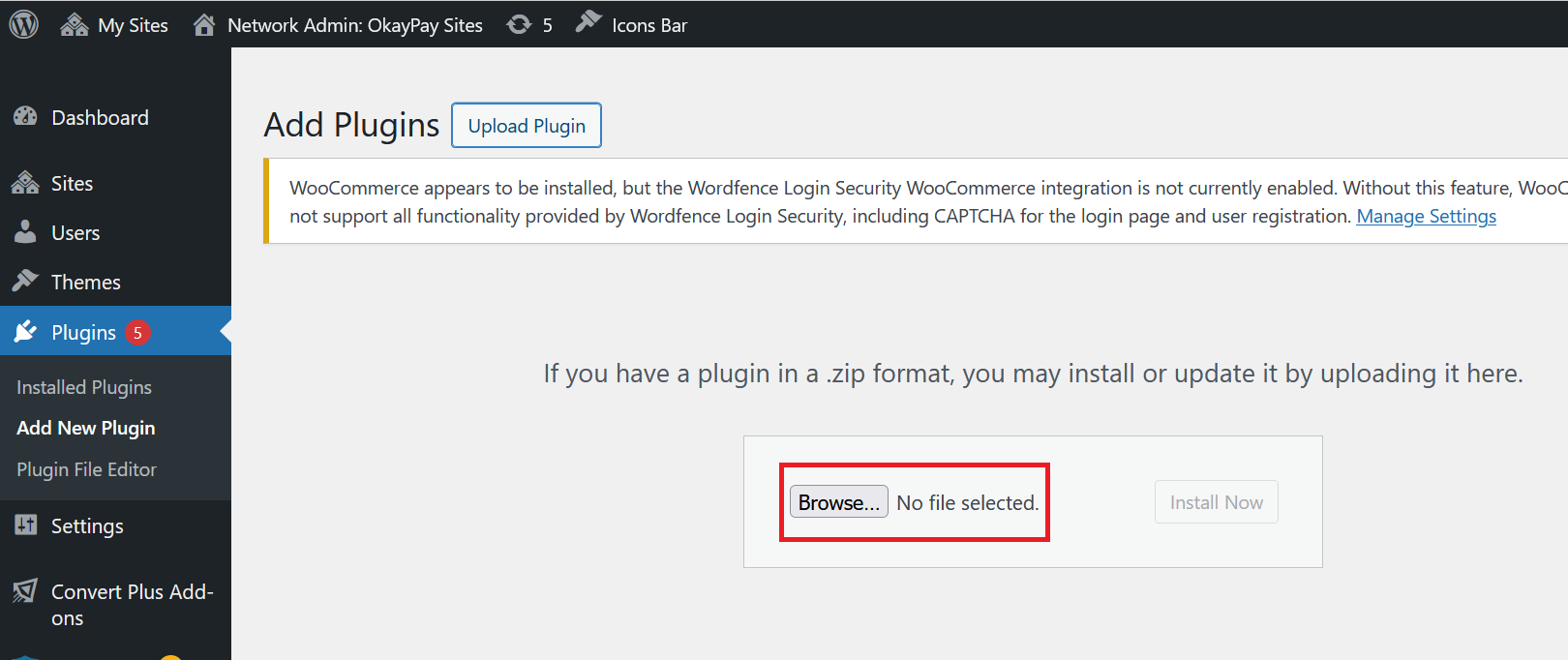
Upload the okaypay.zip file you received from us into WordPress Plugin.
Step 1) Log into your wordpress site. For instance, https://yourwebsite.com.au/admin
Step 2) Go to Plugins > Add New Plugin > Upload Plugin
Step 3) Browse and find the okaypay.zip file select it and then click Install Now
Step 4) Once you have installed the plugin, you need to activate it